

The digital world is a double-edged sword, and ensuring Internet safety for kids is a top priority for modern parents. While it offers limitless access to knowledge and connection, it also opens the door to risks. Our job isn’t to unplug them entirely. Instead, it’s to give them the skills and support they need to become smart, resilient, and responsible digital citizens.
Consequently, this guide dives deep into the real threats kids face online, offering comprehensive strategies for online safety for kids, age-specific advice, and a clear plan for when things go wrong.

Understanding Digital Dangers: A Core Part of Internet Safety for Kids
To protect our kids effectively, we first must understand the dangers they face, which are often invisible to the naked eye. In other words, awareness is the first step in effective online safety for kids.
- Inappropriate Content: This is one of the most common risks. For instance, kids can easily stumble upon pornography, graphic violence, hate speech, or content promoting dangerous behaviors like eating disorders.
- Cyberbullying: Unlike playground bullying, cyberbullying is a 24/7 threat. The Pew Research Center reports that about half of U.S. teens have experienced at least one of six defined cyberbullying behaviors. Furthermore, the impact on a child’s mental health can be devastating, leading to anxiety and depression. It’s a relentless and often anonymous form of harassment.
- Online Predators (Grooming): Malicious adults often create fake profiles to befriend children. They patiently build trust over time—a process called grooming—to aim for sexual exploitation. The FBI warns that predators often use deception and manipulation, making it crucial for kids to understand these risks.
- Privacy Risks: Kids often don’t grasp the concept of privacy. As a result, they might freely share personal information like their full name, home address, or school name, which others can easily exploit.
- Scams and Phishing: Children are prime targets for online scams designed to steal information. These can be cleverly disguised as links for free game currency or fake prize notifications.
- Screen Time and Mental Health: Excessive screen time can disrupt sleep, reduce physical activity, and harm social development. Moreover, social media’s constant comparison culture can fuel anxiety, depression, and poor body image. In fact, poor sleep quality alone can significantly impact a child’s overall health.

A Practical Game Plan for Internet Safety for Kids
True protection isn’t just about filters. It’s about building a foundation of trust, education, and clear, consistent rules.
1. Make Open Communication Your Strongest Tool
This is, without a doubt, the most critical strategy. Create an environment where your child feels safe talking to you about anything they see online, without fearing judgment or punishment. Indeed, this dialogue is the cornerstone of Internet safety for kids. Learning how to unlock open conversations is a key parenting skill in the digital age.

“Open and ongoing conversations with your children about their online lives is one of the most important things you can do to help ensure they are safe and responsible online.”
— ConnectSafely.org
- Start Early and Casually: Talk about online safety as often as you talk about looking both ways before crossing the street. For instance, UNICEF guidelines on child online protection support this relaxed approach.
- Be an Active Listener: Ask about the games they’re playing and the videos they love. Show genuine interest to build trust.
- Use Real-Life Examples: Discuss age-appropriate news stories about online incidents. For example, say, “I read about a kid who accidentally shared their address online. What do you think we can do to make sure that doesn’t happen?”
2. Educate and Empower Your Child
Give your kids the knowledge to protect themselves.
- The “Digital Tattoo”: Explain that anything posted online can be permanent. A silly picture or an angry comment can follow them for years.
- Private vs. Public Information: Similarly, Common Sense Media emphasizes teaching kids to be mindful of the information they share and the difference between personal and public details.
- Encourage Critical Thinking: Train them to be healthy skeptics. Additionally, teach them how to spot fake news, clickbait, and scams.
- The “Stranger Rule” Still Applies: Emphasize that an online friend they’ve never met in person is still a stranger.
3. Establish Clear Rules and Boundaries
Consistency is your best friend here.
- Set Smart Screen Time Limits: Instead of focusing only on time, the American Academy of Pediatrics recommends creating a personalized Family Media Use Plan that prioritizes quality content. This is a simple step toward a healthier life.
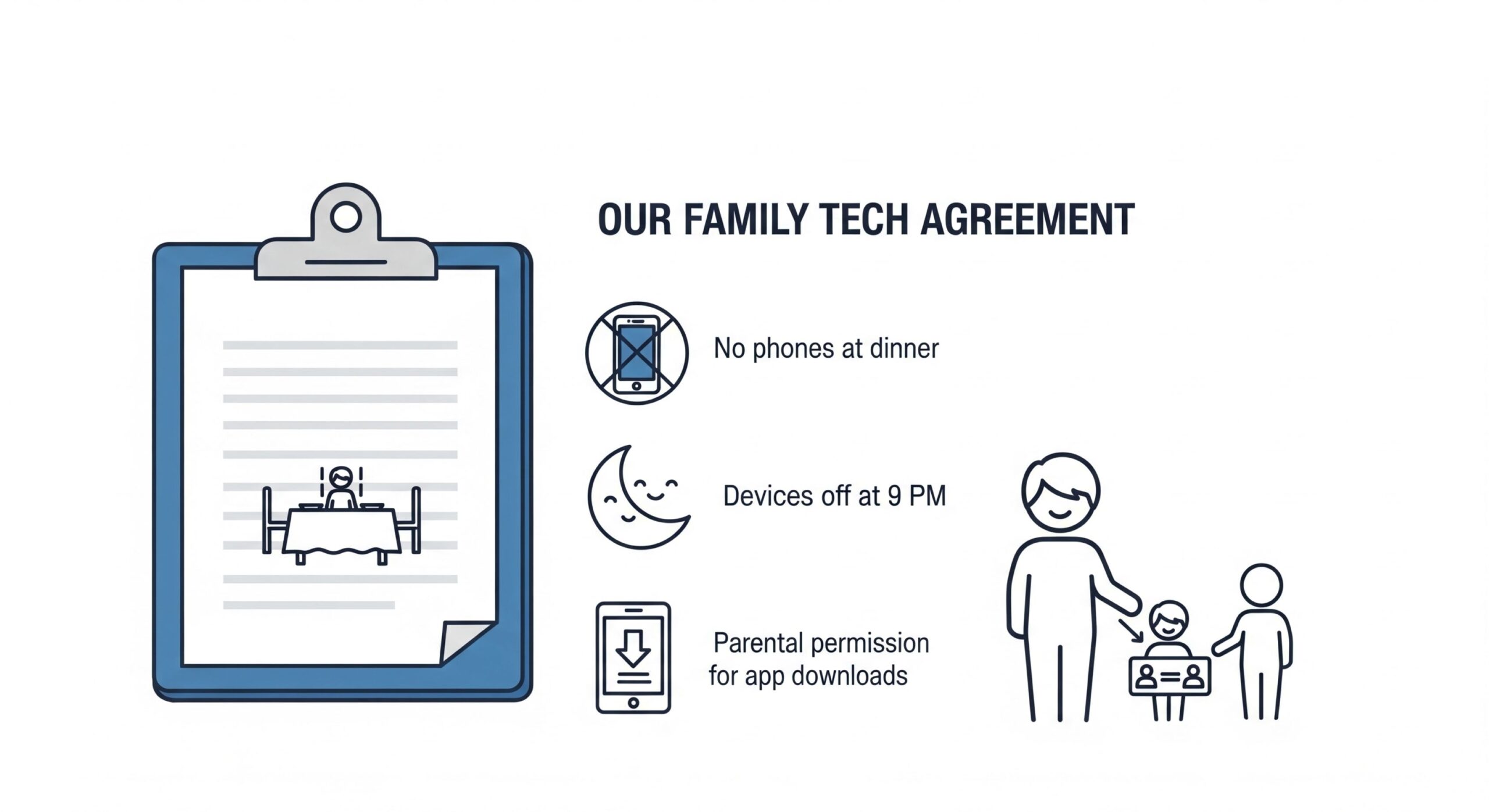
- Create “Tech-Free Zones”: Designate areas like the dinner table or bedrooms as screen-free, especially an hour before bedtime.
- Create a Family Tech Agreement: Sit down together and write down the rules, such as no downloading apps without permission and always telling a parent if something feels wrong.
4. Use Technology to Your Advantage
Let technology be your ally, not your enemy.
- Activate Parental Controls: Use the parental controls already built into devices, browsers, and apps.
- Use Content Filters: Set up filters on your Wi-Fi router to block entire categories of inappropriate websites.
- Lock Down Privacy Settings: Help your child set all their social media accounts to “Private.” Furthermore, review these settings together regularly.
Age-Specific Tips for Internet Safety for Kids
A child’s risks and needs evolve as they grow. Therefore, your approach to their online safety must adapt as well.
- The Little Ones (Under 7): For this group, internet use should be a “shoulder-to-shoulder” activity. Stick to apps and sites designed for young children, like YouTube Kids or PBS Kids.
- Elementary & Middle Schoolers (7-12): This is the perfect time to introduce core safety concepts. Keep computers in a central family area and co-view their browsing history, framing it as a learning opportunity.
- Teenagers (13+): Shift your role from supervisor to trusted advisor. Discuss mature topics like sexting, online reputation, and peer pressure. Give them more independence, but remind them you’re always their safety net.
Spotting Red Flags: An Essential Step in Internet Safety for Kids
Watch for behavioral shifts that could signal an online problem.
- Becoming secretive or defensive about their online activities.
- Appearing anxious or upset after using their device.
- A sudden drop in grades or loss of interest in hobbies.
- Abruptly deleting social media accounts.
A Case Study in Action
Anecdote: When 14-year-old Alex suddenly stopped posting his artwork online, his mom noticed. Instead of demanding his password, she said, “I miss seeing your drawings. It seems like you haven’t been enjoying it lately. Is everything okay?” Eventually, Alex admitted that someone had been leaving cruel comments. Because the conversation started with concern, Alex felt safe enough to open up.
If a Problem Arises: A Step-by-Step Guide
- Stay Calm: Your reaction sets the tone. Panicking will only ensure they never come to you with a problem again.
- Listen Without Judgment: Let them tell the whole story. Then, thank them for their courage in telling you.
- Validate Their Feelings: Acknowledge that their feelings—fear, embarrassment, or sadness—are valid. This is crucial for managing daily stress.
- Preserve Evidence: Take screenshots of any harassing messages or inappropriate content.
- Block and Report: Use the platform’s built-in tools to block the user and report the incident.
- Seek Professional Help: If the event significantly impacts their mental health, don’t hesitate to contact a child psychologist or therapist.
“Nearly all teens who have experienced online harassment believe that social media companies are doing only a fair to poor job in addressing this issue.”
— Pew Research Center, 2022Beyond the Basics: Digital Citizenship and Internet Safety for Kids
Protecting our kids isn’t just about avoiding danger; it’s also about teaching them to be good people online. In short, this is a proactive part of internet safety for kids.

- Teach Digital Empathy: Remind them that a real person with real feelings is behind every screen. A good rule of thumb: if you wouldn’t say it to someone’s face, don’t type it.
- Encourage Being an “Upstander”: Teach them not to be a bystander to cyberbullying. They can support a victim with a kind private message or by reporting the bullying.
- Build Digital Resilience: According to the International Society for Technology in Education (ISTE), a key part of digital citizenship is for students to manage their digital identity and reputation and be aware of their actions’ permanence.
Bonus: Your Quick-Reference Checklist for Internet Safety for Kids
Feeling overwhelmed? Keep this simple checklist handy to make sure you have the key bases covered.

Final Thoughts
Guiding kids through the digital world is a marathon, not a sprint. It requires an ongoing conversation built on patience, consistency, and a strong connection. Our commitment to Internet safety for kids doesn’t end. Ultimately, our goal isn’t to control their digital lives, but to empower them with the wisdom to navigate them safely and confidently on their own. By acting as their digital co-pilot, we can help them harness the best of the internet while steering clear of the worst.
Sources & References
- American Academy of Pediatrics. (n.d.). Media and Children. Retrieved from https://www.aap.org/en/patient-care/media-and-children/
- Common Sense Media. (n.d.). Privacy and Internet Safety. Retrieved from https://www.commonsensemedia.org/privacy-and-internet-safety
- ConnectSafely. (n.d.). Parent & Educator Guides. Retrieved from https://www.connectsafely.org/allguides/
- Federal Bureau of Investigation. (n.d.). Protecting Your Kids. Retrieved from https://www.fbi.gov/how-we-can-help-you/safety-resources/protecting-your-kids
- International Society for Technology in Education. (n.d.). ISTE Standards for Students. Retrieved from https://www.iste.org/iste-standards/iste-standards-for-students
- Pew Research Center. (2022, December 15). Teens and Cyberbullying 2022. Retrieved from https://www.pewresearch.org/internet/2022/12/15/teens-and-cyberbullying-2022/
- UNICEF. (n.d.). 8 ways to keep your child safe online. Retrieved from https://www.unicef.org/parenting/child-safety/8-ways-to-keep-your-child-safe-online
A Parent’s Guide to Internet Safety
The digital world is vast. Here are the key areas to focus on to keep your kids safe online. Click on any window to learn more.
Digital Dangers
Understand the common risks kids face in the digital world.
Your Safety Plan
Proactive strategies to build a foundation of trust and safety.
Age-by-Age Guide
Tailor your approach as your child grows and matures online.
Spot Red Flags
Recognize behavioral signs that may signal an online problem.
How to Respond
A step-by-step guide for what to do when problems arise.
Digital Citizenship
Teach kids to be responsible, empathetic, and kind online.